


Author:高俊集运 Release Time:2025-01-06
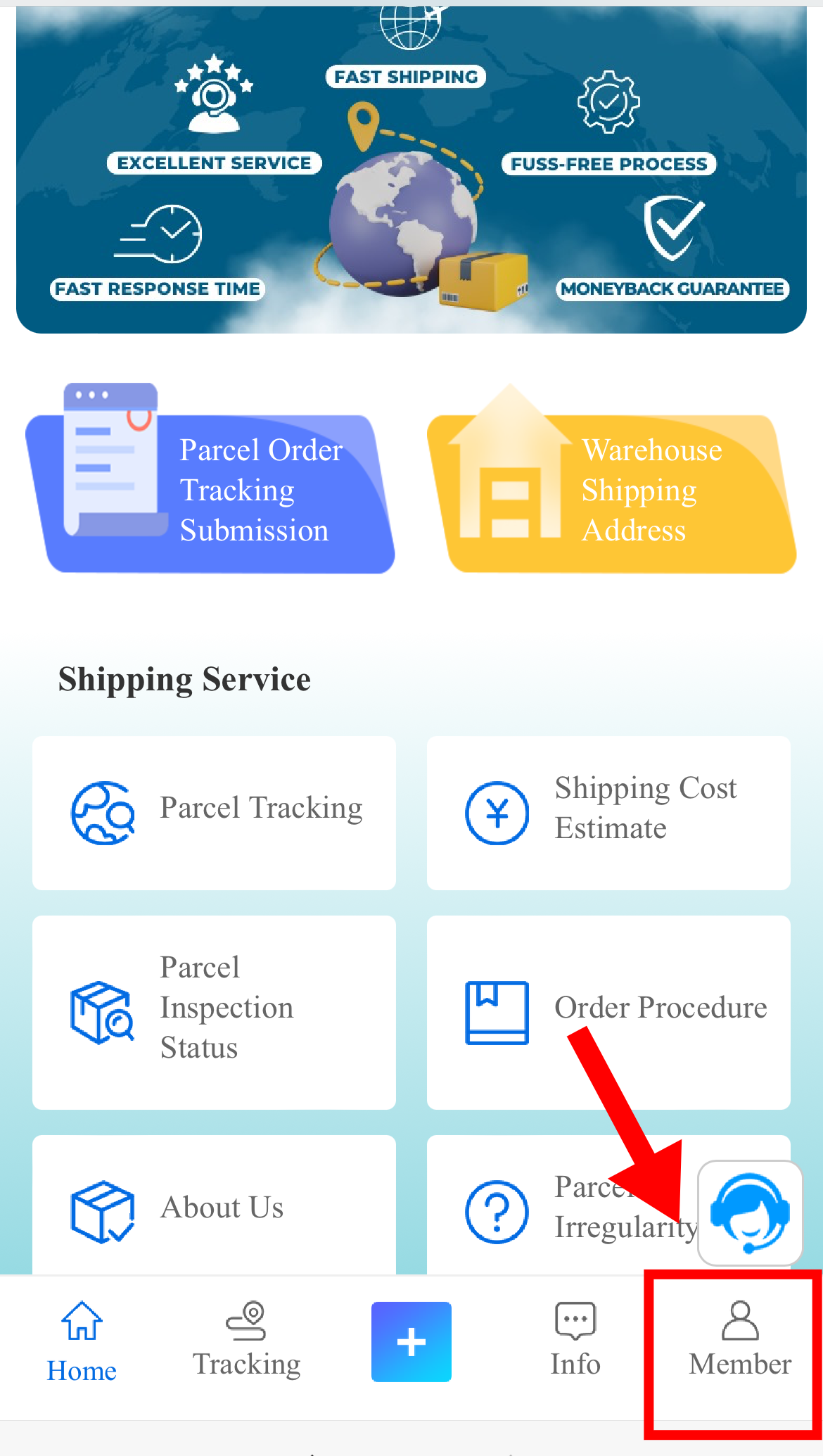
STEP 1:Open"Go logistics", click on "Member".
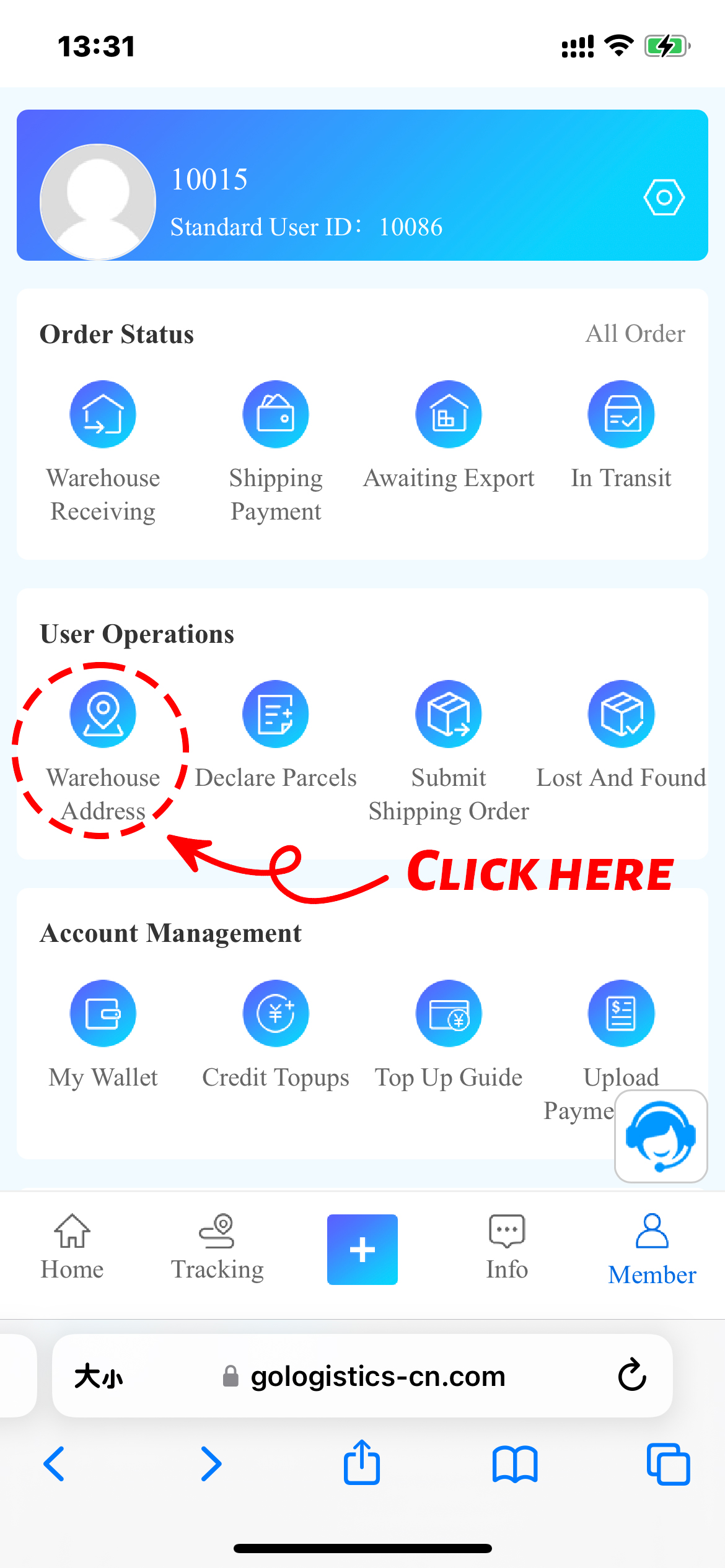
STEP 2:Click "Warehouse Address" below ..Operations.
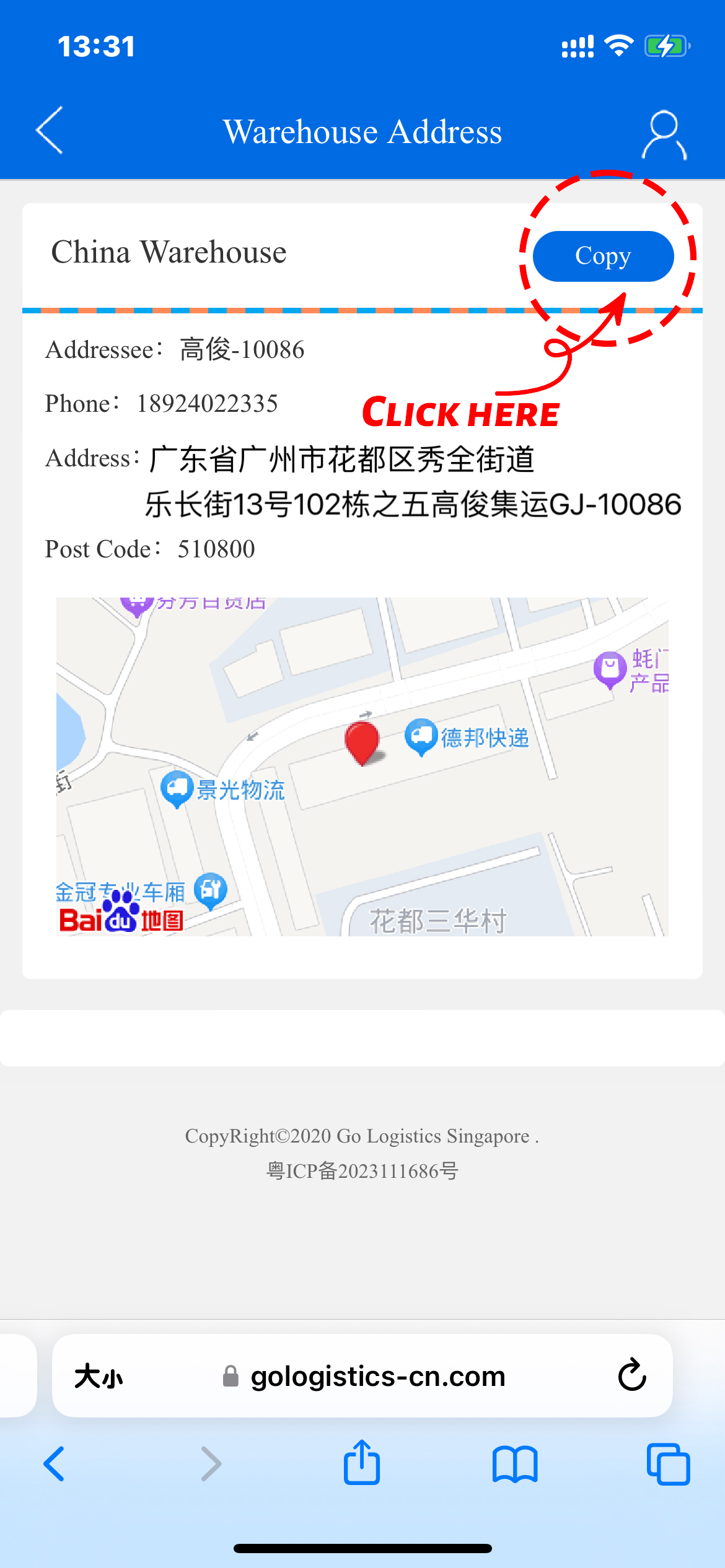
STEP 3:Click "Copy"
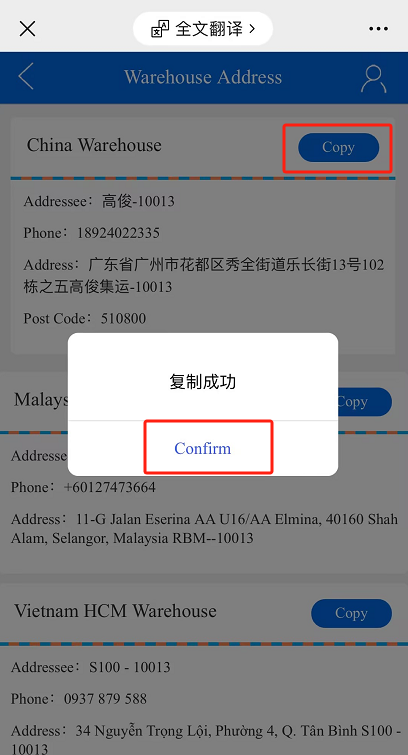
STEP 4:Click"Confirm"
STEP 5:Open"Taobao" or. other shopping platform, click "My Taobao"
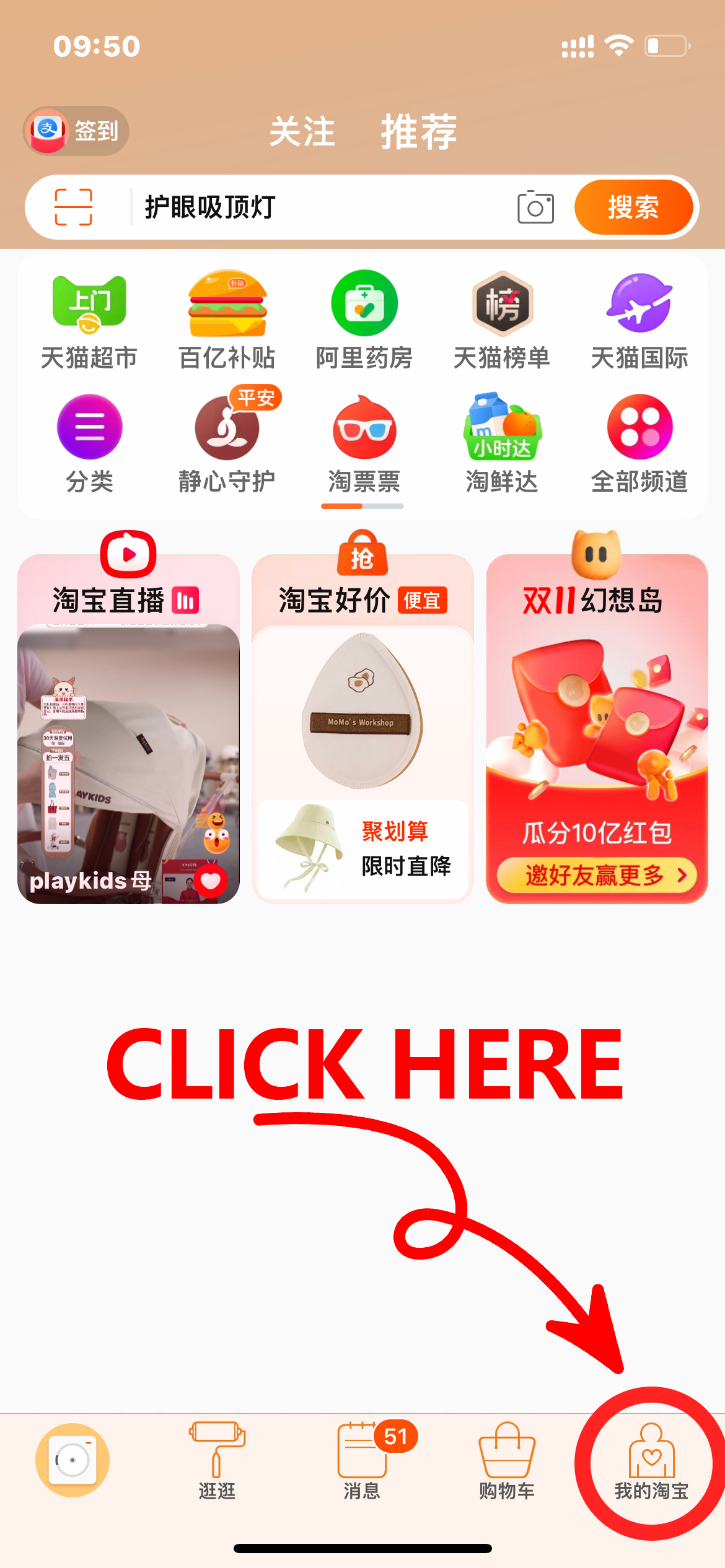
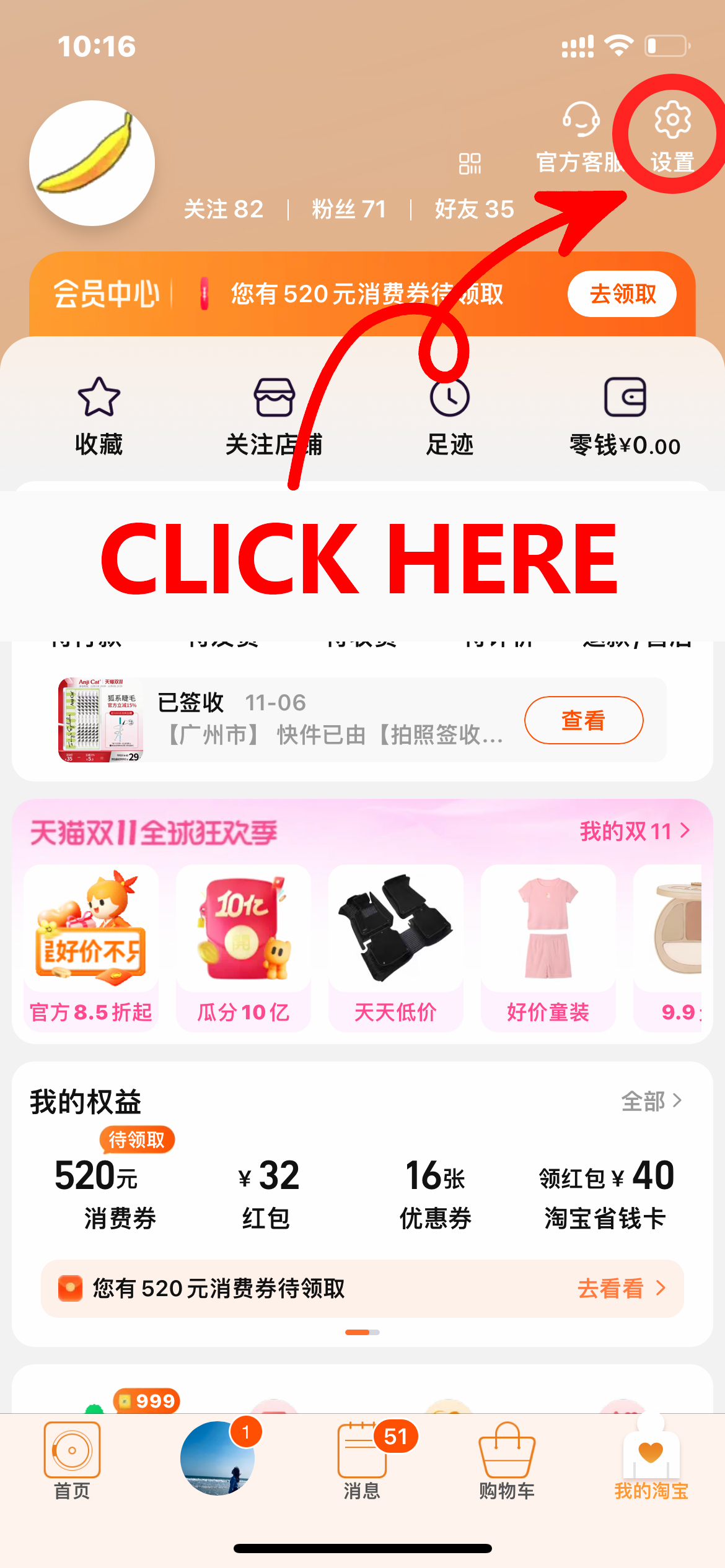
STEP 6:Click "Setting"
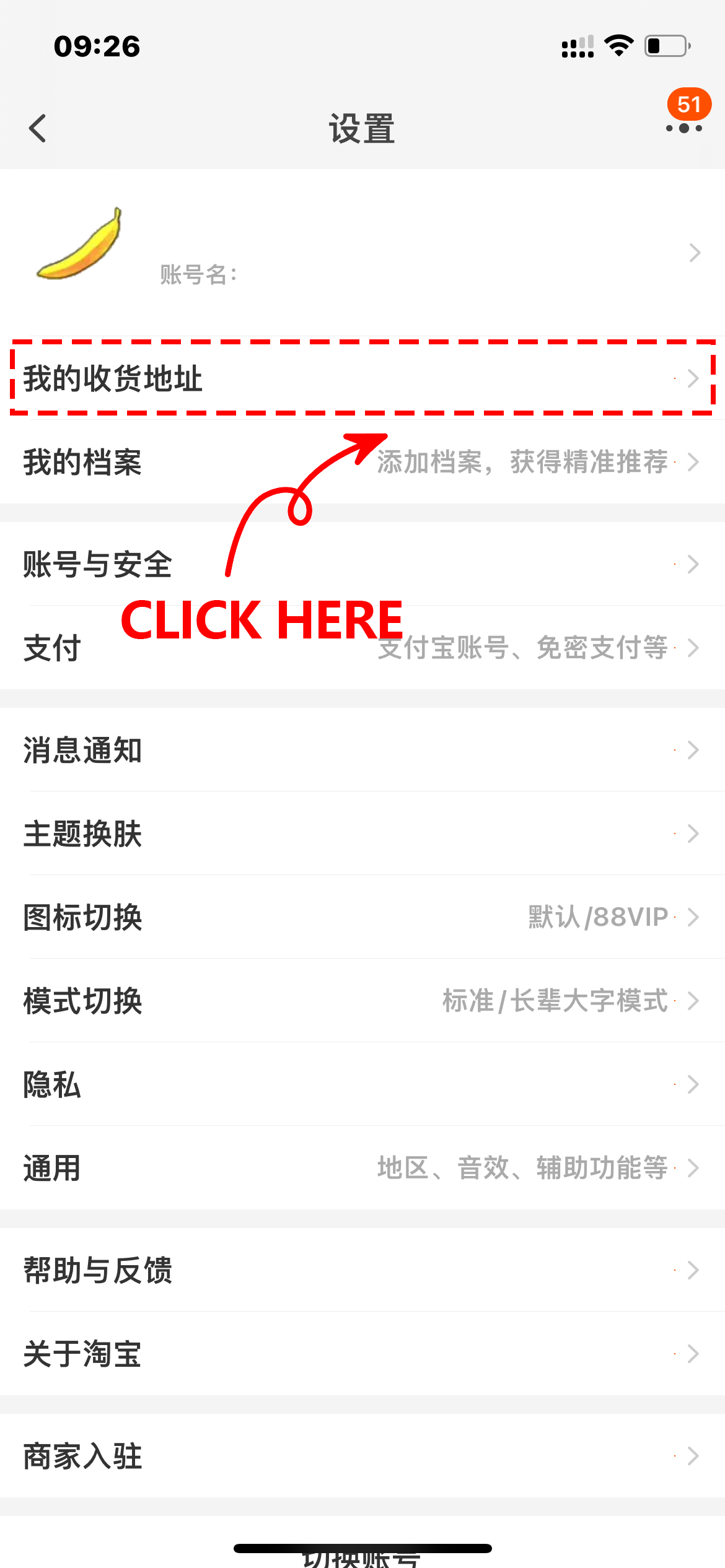
STEP 7: Click on "My Shipping Address"
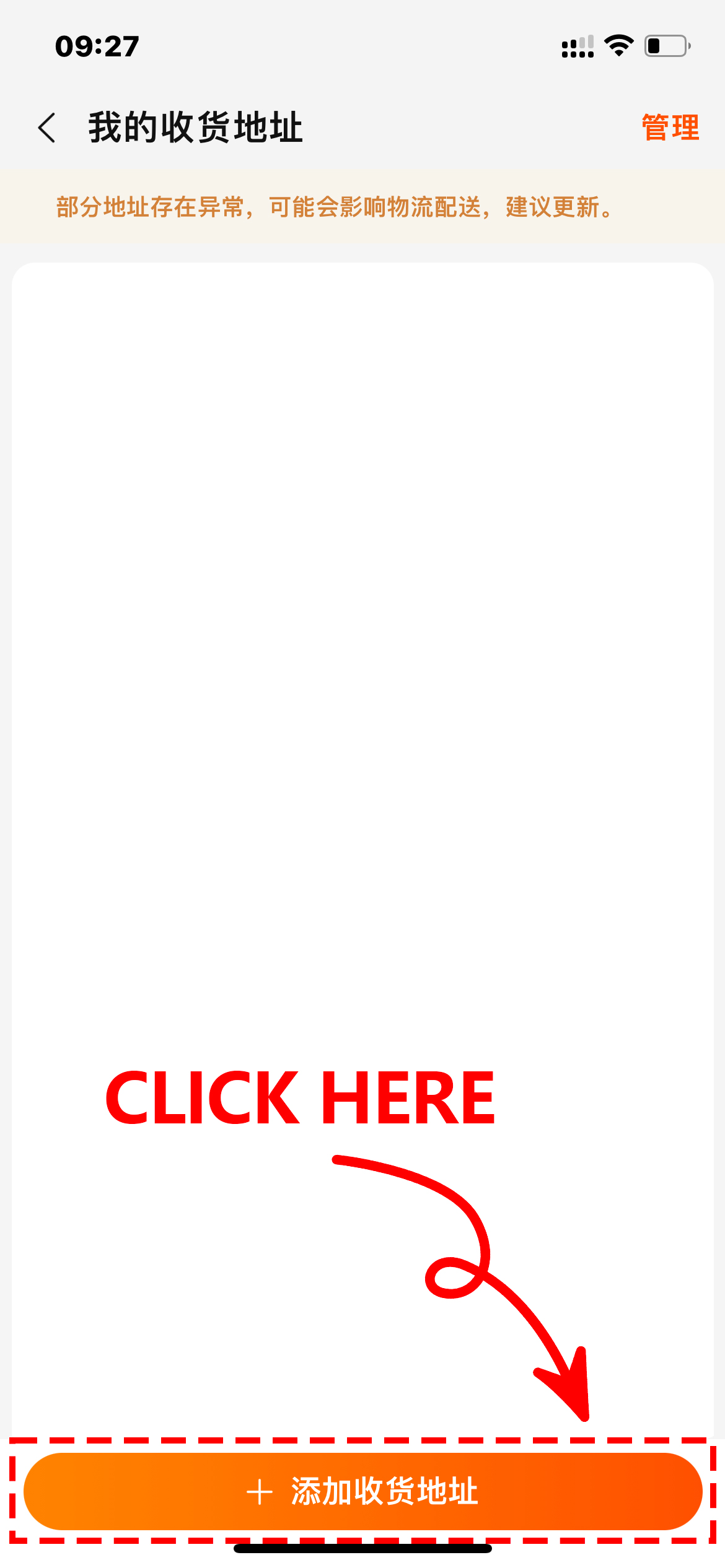
STEP 8: Click on "Add Shipping Address"
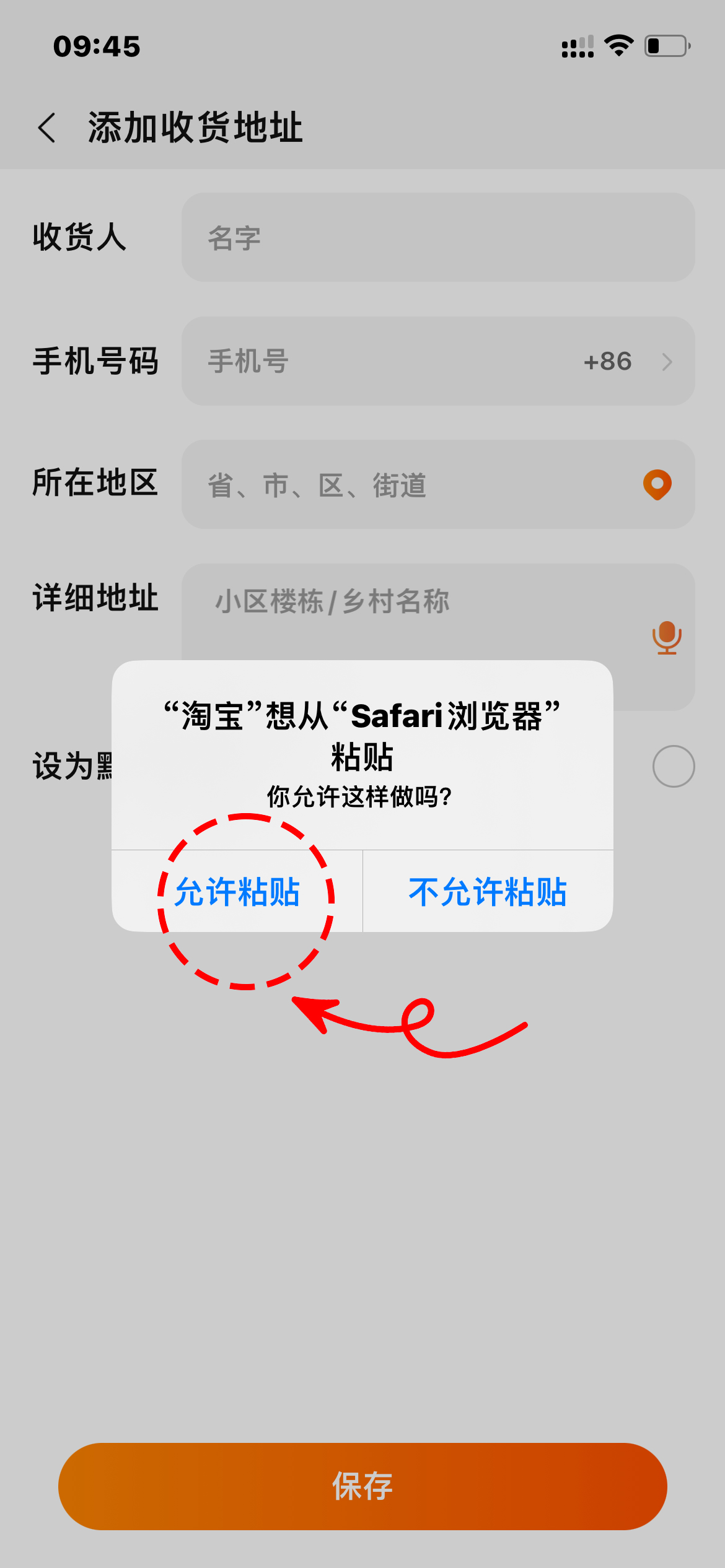
STEP 9: Click "Allow pasting" on the left. side.
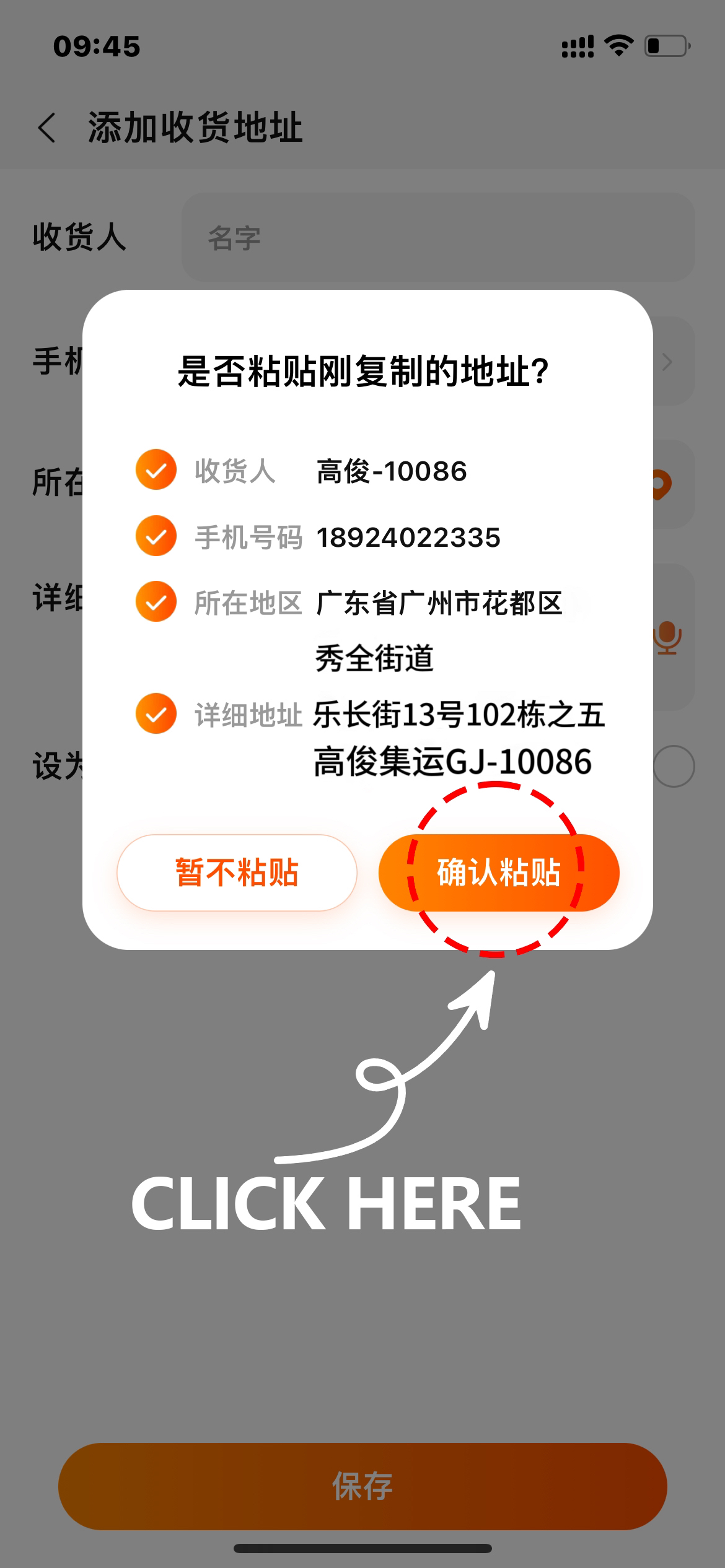
STEP 10: Click "Confirm pasting" on the right. side as below picture shows
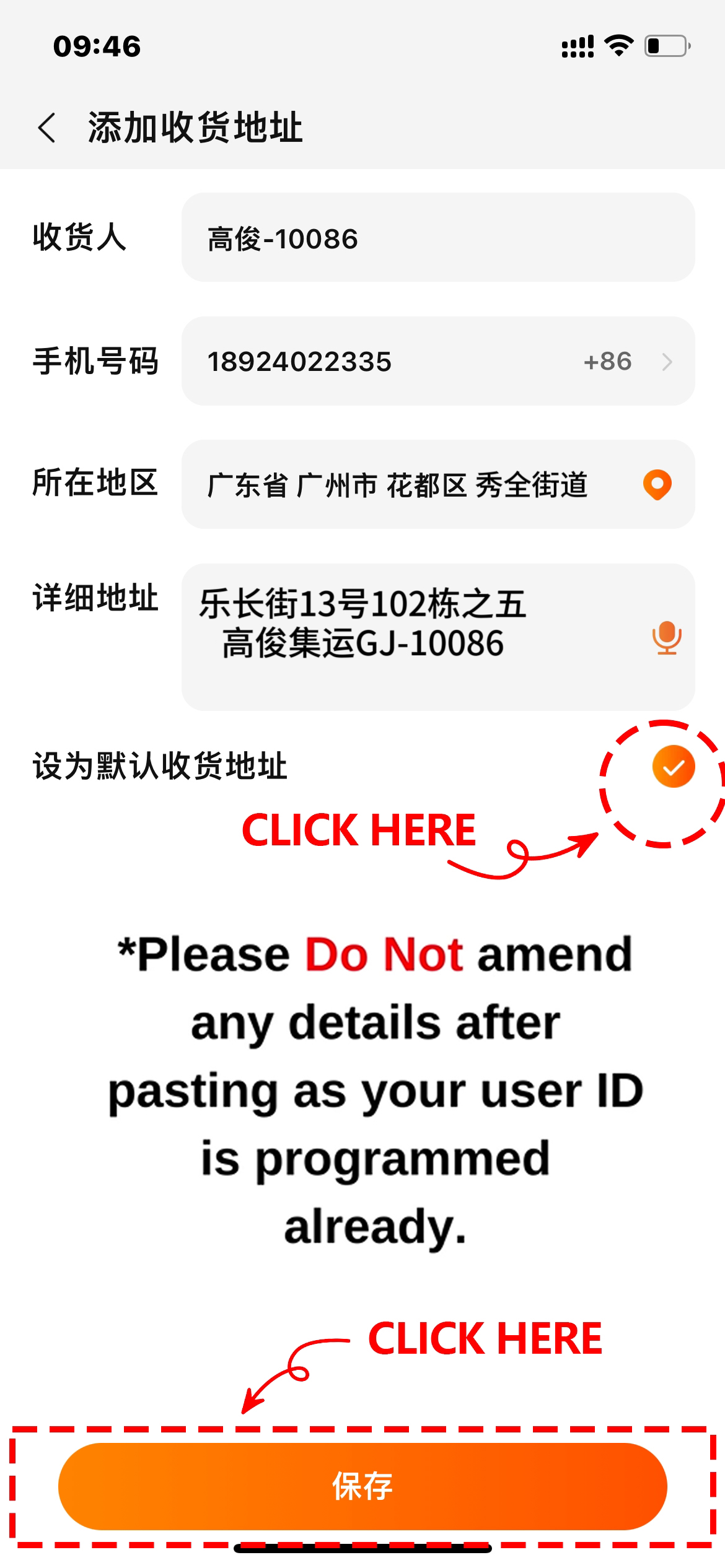
STEP 11: Click the option of “Set as default shipping address”,and.click "Save" button below.
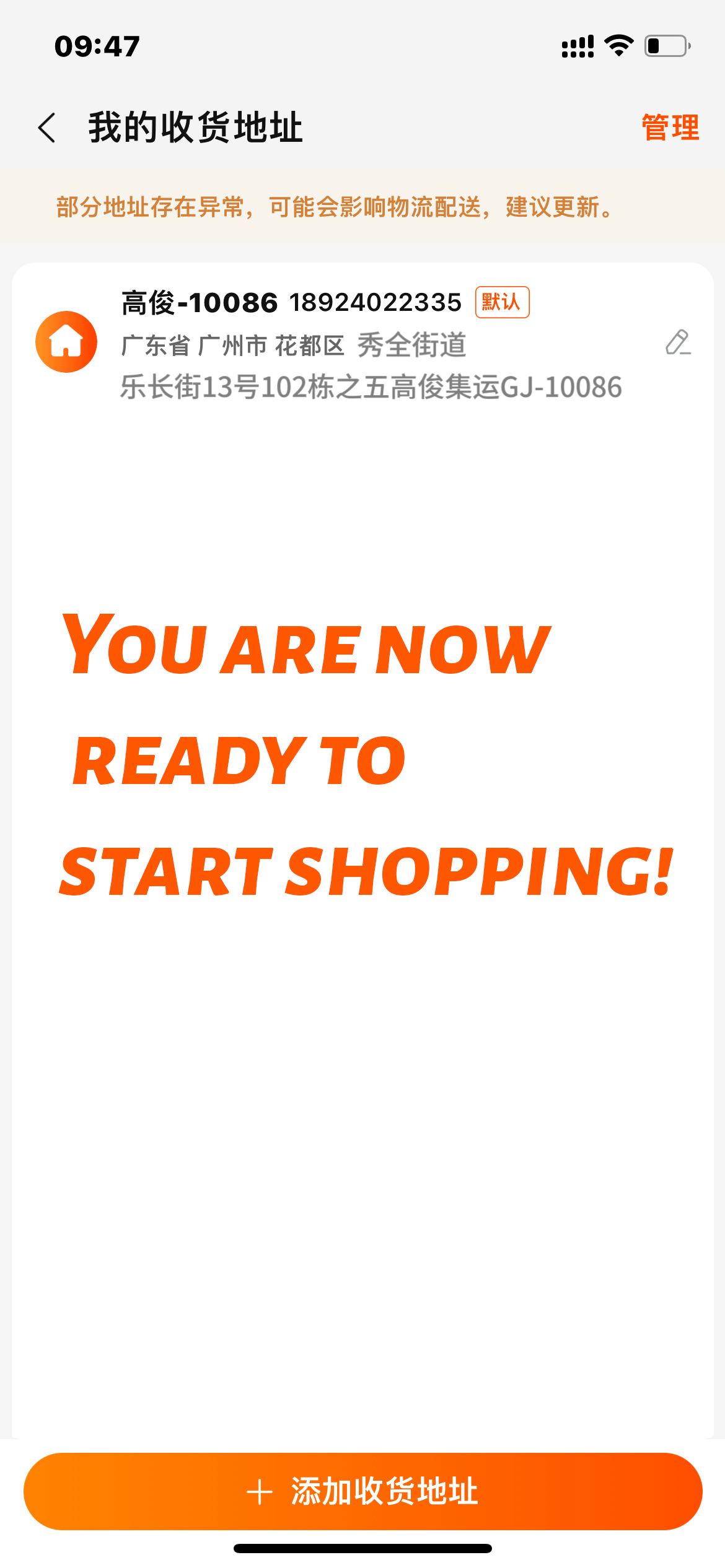
STEP 12: Congratulations, you've copied our warehouse address!
 Phone
Phone
 Service Mailbox
 Online Service


 Online Service